
How to Track AI Visibility: Free Methods, GA4 Setup and Tools
Sightivo
How to Track AI Visibility: Free Methods, GA4 Setup and Tools
Four ways to track whether ChatGPT and AI Overviews name your brand: a manual prompt set, a GA4 AI-referrals channel, Search Console, Bing, and trackers.

AI visibility tracking means measuring, on a fixed set of prompts, how often AI engines name your brand, whether they cite your pages, where you appear, and how much traffic and revenue that sends you.
You can do the first three with a spreadsheet and an hour a week. You can do the fourth with a ten-minute change in Google Analytics. This guide covers both, then the free and paid tools that automate them — in that order, because the manual version teaches you what the tools are actually measuring.
Key numbers
- ChatGPT referral visitors converted at 15.9% against 1.76% for Google organic on the same B2B site — but AI referrals were only 0.07% of organic traffic (Seer Interactive, October 2024–April 2025). Small numbers, high intent: worth tracking, easy to miss.
- Users click a source cited inside a Google AI summary just 1% of the time (Pew Research Center, July 2025) — so referral traffic badly undercounts AI influence. You have to measure mentions, not just visits.
- AI Overviews appeared on 15.69% of tracked US queries in November 2025, up from 6.49% in January (Semrush AI Overviews study, 10M keywords).
- Only 21% of the most-cited domains in a category were also the most-mentioned brand (Semrush, 50,000 brands, January–June 2026) — citations and mentions are different metrics and you need both.
- Branded web mentions correlate with AI Overview brand visibility at 0.664, backlinks at 0.218 (Ahrefs, 75,000 brands) — which is why the tracking sheet below logs who else got mentioned and from where.
- Bing Webmaster Tools now reports which of your URLs are cited in Copilot and Bing's AI answers (public preview, February 2026) — the first free first-party AI citation report.
What to measure
Six metrics cover it. Define them once so the numbers mean the same thing month to month.
| Metric | Definition | Where it comes from |
|---|---|---|
| Mention rate | Share of prompt runs in which your brand is named at all | Prompt set |
| Citation rate | Share of runs in which one of your URLs is cited as a source | Prompt set |
| Position | Where you appear when named: first, in a list, in passing | Prompt set |
| Share of voice | Your mentions ÷ all brand mentions across the set | Prompt set |
| Sentiment / framing | Recommended, neutral, or caveated ("good but expensive") | Prompt set |
| AI referral traffic | Sessions and conversions from AI-engine referrers | GA4 |
Mention rate and citation rate diverge more than people expect. Semrush's 50,000-brand study found that in 79% of categories the most-cited domain was not the most-mentioned brand. An engine can cite a review site's page about you (citation to them, mention of you) or name you from memory with no source at all (mention, no citation). Track both.
Method 1: a manual prompt set (free, one hour a week)
This is the method every tracker automates, and it is worth doing by hand for a month first.
Step 1 — write 15–20 buyer prompts, by intent. Not "what is [category]" — the questions someone asks when they are about to choose.
- Category: "best [category] tools for startups", "top [category] software 2026"
- Constraint: "[category] tools under $100 a month", "[category] for a team of five"
- Alternative: "alternatives to [incumbent]", "[incumbent] vs [competitor]"
- Use case: "[category] for [your niche]", "how do I [job your product does]"
- Branded: "is [your brand] any good", "[your brand] pricing", "[your brand] vs [competitor]"
Keep the branded prompts to two or three. They tell you what the engine thinks you are; the unbranded ones tell you whether it thinks of you at all.
Step 2 — pick the engines your buyers use. For most B2B startups that is ChatGPT and Google's AI Overviews, plus one of Perplexity or Claude. Don't track six engines badly.
Step 3 — run each prompt three times, in a fresh chat, logged out or in a clean profile. AI answers are non-deterministic; the same prompt returns different brands on different runs. One sample is an anecdote. Three lets you see a rate.
Step 4 — log every run in a sheet. Columns:
date · engine · prompt · intent · sample # · brand named? (y/n) · position (1st / in list / passing / none) · framing (recommended / neutral / caveated) · brands named (all) · sources cited (URLs) · our URL cited? (y/n) · notes
Step 5 — compute the four rates at the end of each run: mention rate, citation rate, share of voice, and the top five domains cited across the whole set. That last column is the one that turns measurement into action — it is the list of places you are not mentioned yet.
Step 6 — repeat weekly, same prompts, same engines. Change the prompt set only when your product changes, and version it when you do; otherwise the trend line breaks.
Budget: 20 prompts × 2 engines × 3 samples is 120 chats, about an hour once you have the rhythm. Or paste the sheet into the tool of your choice later and keep the history.
Method 2: track AI referral traffic in GA4 (free, ten minutes)
GA4 does not have an "AI" channel. It lumps ChatGPT and Perplexity into Referral, and much AI traffic arrives with no referrer at all and lands in Direct. You can fix the first problem; you can only estimate the second.
Build an AI referrals channel:
- In GA4, go to Admin → Data display → Channel groups (Google's documentation). Standard properties allow two custom groups.
- Create a new channel group by copying the default one, so your existing reports keep working.
- Add a channel named AI referrals and move it to the top of the list — channel rules are evaluated in order, and Referral would otherwise catch these sessions first.
- Set the condition to Session source matches regex:
chatgpt\.com|perplexity\.ai|gemini\.google\.com|copilot\.microsoft\.com|claude\.ai|you\.com
Add openai\.com if you see it in your referrer list, and bing\.com/chat if Copilot traffic shows that way for you.
- Save. Custom channel groups apply retroactively in reports, so you can compare against last quarter immediately.
Then read it properly:
- Open Reports → Acquisition → Traffic acquisition, switch the primary dimension to your new channel group, and compare conversion rate rather than sessions. Seer's data — 15.9% vs 1.76% — is the pattern to expect: tiny volume, several times the conversion rate.
- Create an exploration filtered to the AI channel and look at landing pages. Those are the pages engines are sending people to; they are usually not your homepage.
- Caveats you cannot engineer around: ChatGPT's in-app browser and many mobile flows strip the referrer, so a share of AI visits land in Direct. Google's AI Overviews and AI Mode report as
google / organic— indistinguishable from a normal click. Treat GA4 as a floor, not a total.
Method 3: Google Search Console and Bing Webmaster Tools (free)
Search Console folds AI Overview impressions and clicks into the ordinary Web results — there is no AI filter, and Google has said it does not plan one. What you can do: watch for pages whose impressions rise while clicks fall. That signature usually means an AI Overview appeared above the result. Ahrefs measured a 58% lower click-through rate for top-ranking pages under an AI Overview in December 2025 (300,000 keywords), so the divergence is large enough to see.
Bing Webmaster Tools is better here. Its AI Performance report, in public preview since February 2026, shows which of your URLs are cited across Microsoft Copilot and Bing's AI answers, which queries triggered the citations, and the trend over time; a June 2026 update added Intents, Topics, Citation Share and a Compare view. Because ChatGPT's live search runs on Bing's index, being cited by Copilot is a leading indicator for ChatGPT too. Verify your site there if you haven't — it takes the same DNS record Search Console does.
Method 4: tools (free checkers, then trackers)
Free checks first. Several vendors, including us, run a small prompt set against one engine for free. Our AI visibility checker asks ChatGPT five buyer prompts about your domain and shows who was named instead and which URLs were cited — no signup for the first run. Ahrefs, Semrush, SE Ranking and HubSpot run similar free reports. Use two of them; the prompt sets differ and so will the answers. The free options are compared here.
Trackers when the sheet gets heavy. A tracker is Method 1 automated: your prompt set, your engines, run on a schedule, with mention rate, citation rate, share of voice and the cited-source list kept as history. Prices run from about $29/mo for a few prompts and engines to several hundred for multi-engine, multi-brand coverage. We compare fifteen of them in the best AI visibility tools with prices verified this month, and our own AI visibility tracking covers ChatGPT, Claude and Google AI Overviews.
The thing to check before paying for any of them: does it stop at the number, or does it show you the sources it found and help you get onto them? Measurement without the next step is a dashboard you check on Fridays.
How to track AI Overviews specifically
Google's AI Overviews are the surface most startups can move fastest, because they draw from Google's index and — per SE Ranking — cite a top-10 organic domain 93.67% of the time. Tracking them has three parts:
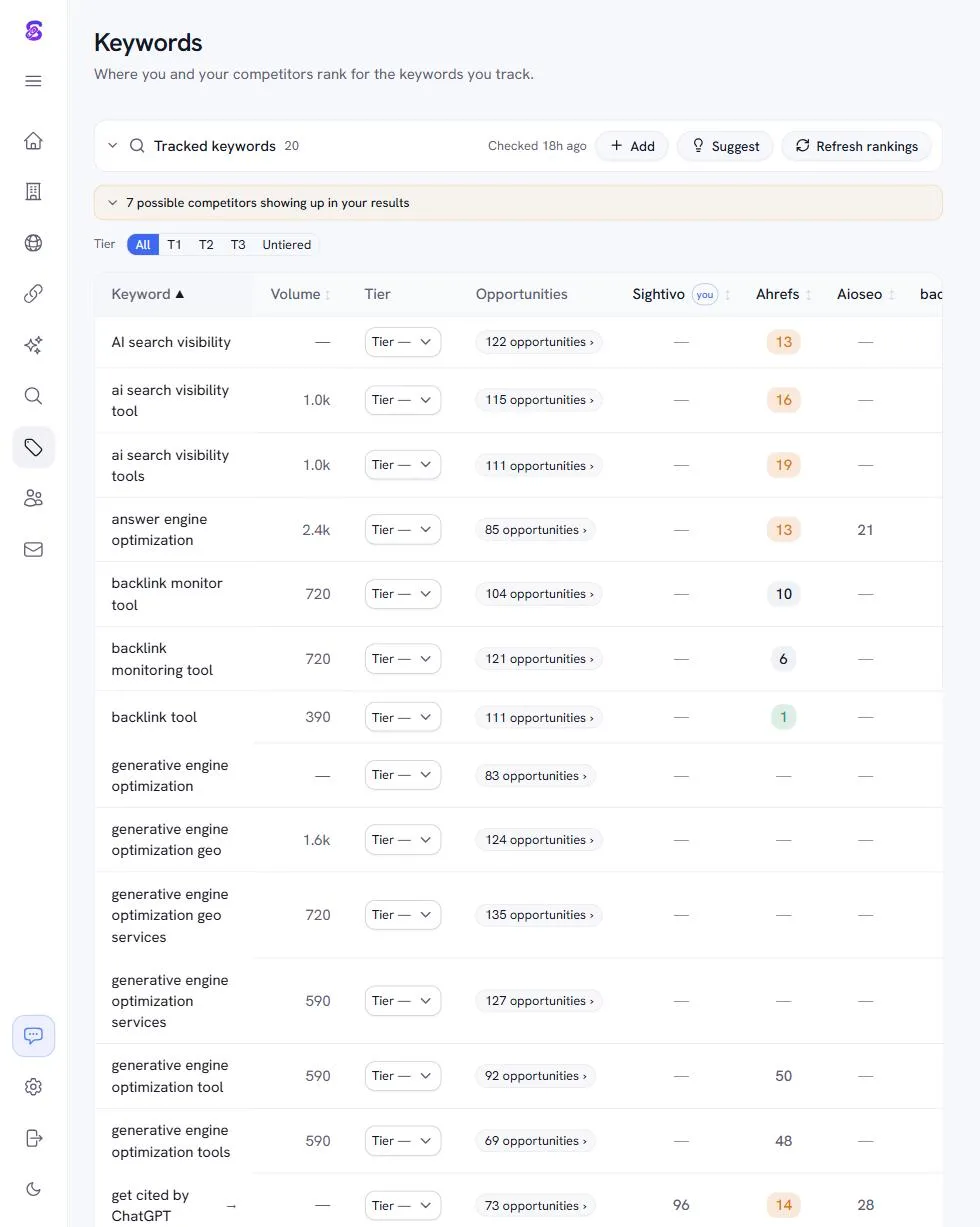
- Which of your keywords trigger an AI Overview. Run your tracked keywords in a logged-out browser (or through a rank tracker that flags the feature) and record presence. Semrush's study puts the overall rate at 15.69% of queries, much higher for informational and question-shaped ones.
- Whether you are cited when one appears. Expand the Overview and log the sources. Ahrefs' 2026 data says only 38% of cited pages rank top-10 for the query, so also check the related questions — the fan-out — where your page might rank instead.
- The click effect. Pair each keyword's AI Overview status with its Search Console click-through rate over time.
A note on AI Mode. Google's AI Mode is a separate, conversational surface with its own fan-out behaviour and no Search Console reporting at all. Track it the same way as ChatGPT — a prompt set, sampled — not as a keyword.
Benchmarks: what is a good AI visibility number?
There is no industry-wide baseline yet, so use these anchors:
- Mention rate on unbranded prompts. For a new or small brand, 0% is normal and not a verdict. Semrush's 50,000-brand study found 53.7% of categories have no clear owner in ChatGPT answers, so "nobody consistently" is the common state. Anything above 20% on your core category prompts means the engine has learned who you are.
- Citation rate. Lower than mention rate almost everywhere; engines name brands from memory more often than they cite a page. A citation of your own domain on a buyer prompt is a strong signal.
- AI referral conversion. Expect several times your organic rate on a fraction of the volume; Seer's 15.9% vs 1.76% is one B2B site, not a law, but the shape repeats.
Track the trend, not the level. A brand going from 0 to 2 of 15 prompts in a quarter has learned something actionable; a brand comparing its 13% to a competitor's 15% has not.
Five tracking mistakes that produce wrong numbers
Sampling once. A single run per prompt turns randomness into a headline. The same question, asked three times, routinely names different brands; a rate needs a denominator. Three samples is the minimum that makes week-over-week movement believable.
Asking about yourself. Branded prompts ("is [brand] any good") almost always name you, because you are in the question. They belong in the set to check framing and accuracy, but they should be a small minority; the rate that matters is on prompts that do not contain your name.
Tracking while logged in. Personal ChatGPT accounts carry memory and chat history that bias answers toward brands you have discussed. Use a logged-out session, a clean browser profile, or the API.
Changing the prompt set. Every edit to the prompts resets the trend. Fix the set, version it, and when you must change it, run old and new in parallel for a month.
Counting citations as mentions, or the reverse. A review site's page about you being cited is a citation of their domain and a mention of your brand. Semrush's data shows the two diverge in most categories; a sheet that merges them will tell you that you are doing better, or worse, than you are.
One more that is not a measurement error but a strategy one: reading the mention rate and stopping. The cited-source column is the output. It is the list of pages where your competitors are and you are not, and it is the reason to track in the first place.
Where Sightivo fits
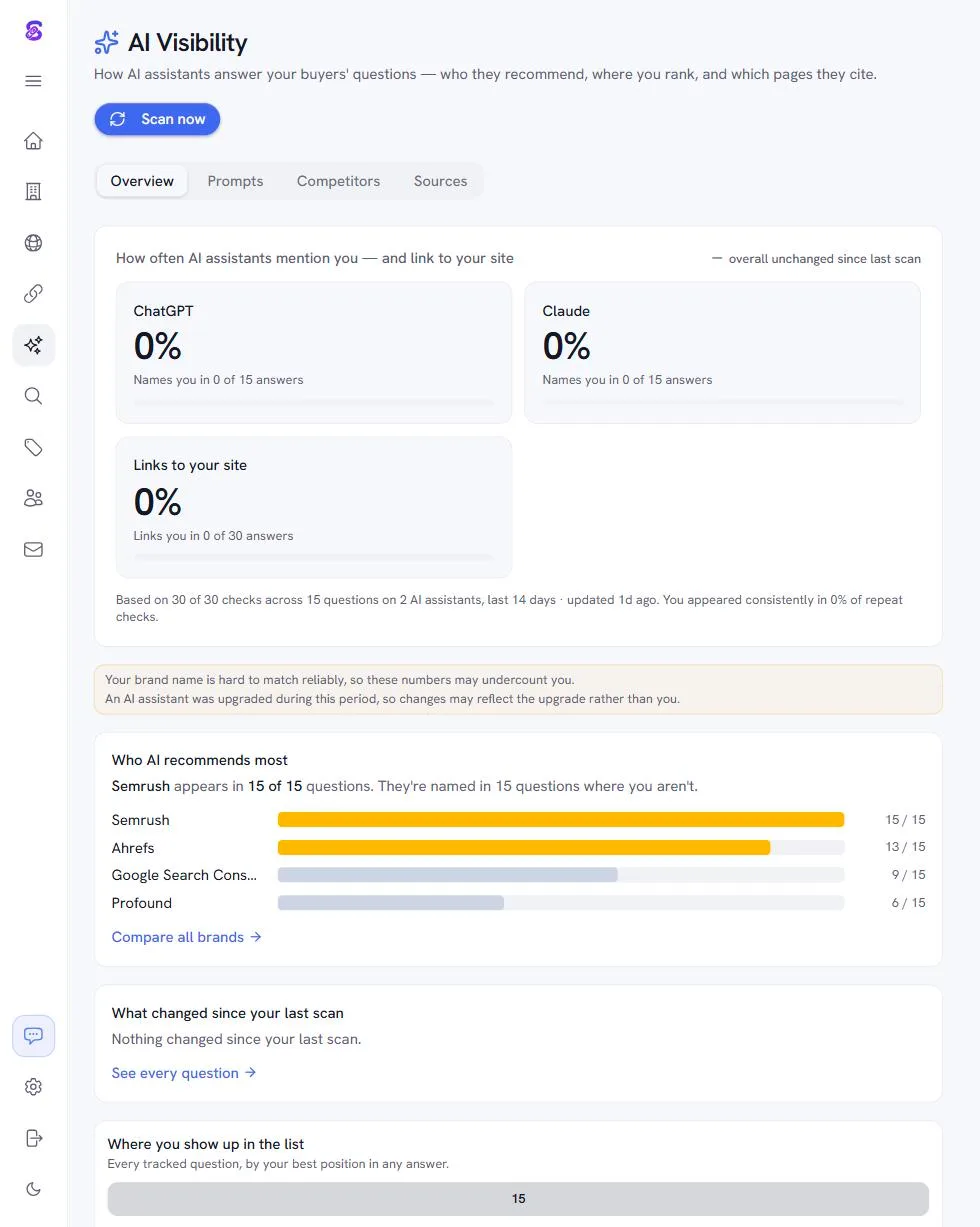
Sightivo runs Methods 1 and 4 for you — the prompt set across ChatGPT, Claude and Google AI Overviews, with mention rate, citation rate, position and the cited sources kept as history — and then does the part a tracker usually leaves to you: it turns the cited-source list into the pages you should be mentioned on, the people behind them, and drafted outreach. Start with the free five-prompt check; the app is $99/mo after a 3-day trial.
Common Questions
How do I track my brand in ChatGPT?
Write 15–20 buyer prompts across category, constraint, alternative, use-case and branded intents; run each three times in a fresh chat; log whether you were named, where, how, and which sources were cited; repeat weekly. That gives you mention rate, citation rate and share of voice. A free checker or a paid tracker automates the same loop — ours runs five prompts against ChatGPT with no signup.
How do I track AI Overviews for my keywords?
Record, per tracked keyword, whether an AI Overview appears and whether your page is among its sources, then pair that with the keyword's Search Console click-through rate over time. Search Console itself does not separate AI Overview traffic, but a rising-impressions, falling-clicks pattern is the tell. Rank trackers that flag SERP features can automate the presence check.
Can Google Analytics track AI traffic?
Partly. A custom channel group with a source regex (chatgpt\.com|perplexity\.ai|gemini\.google\.com|copilot\.microsoft\.com|claude\.ai|you\.com) isolates the AI referrals GA4 can see. It cannot see visits that arrive without a referrer (which land in Direct) or clicks from Google's AI Overviews and AI Mode (which report as normal organic). Treat GA4's number as a floor.
What is a good AI visibility score?
Most "scores" are a mention rate: the share of a prompt set in which your brand is named. For a new brand, 0% is normal. Above roughly 20% on core category prompts means the engines have learned who you are; a citation of your own URL on a buyer prompt is the stronger signal. There is no cross-industry benchmark yet, so compare against your own last month and your named competitors on the same prompts.
How often should I track AI visibility?
Weekly for the prompt set if you are actively working on it, monthly otherwise; AI answers drift as models and indexes update, and a single run is not a stable measurement. Keep the prompt set fixed and version it when you change it, so the trend survives.
Key Takeaways
- Measure mentions and citations on a fixed prompt set, sampled three times, weekly. Referral traffic alone misses almost all AI influence — Pew found a 1% click rate on cited sources.
- GA4 needs a custom AI referrals channel (source regex above) and still only shows a floor; AI Overview clicks look like organic.
- Bing Webmaster Tools' AI Performance report is the one free first-party view of which URLs AI answers cite.
- Track AI Overviews per keyword (presence, citation, click effect); track AI Mode and ChatGPT as prompt sets.
- For a small brand, 0% today is the normal baseline. The number that matters is the list of sources cited instead of you — that is next month's work.
Run the free AI visibility check, then see which tracking tools are worth paying for.
Topics covered
Related articles
Written by
Product leader who's launched 8 B2B SaaS products over the past 6 years. Experienced in taking products from 0 to 1 and scaling them. Built Sightivo out of frustration while doing backlink outreach for another startup—spent hours juggling spreadsheets and tools just to send a few emails. Decided to build something better and share it with others facing the same pain.
Ready to grow your search & AI visibility?
Sign up for Sightivo to track rankings, backlinks, and how often AI engines cite your brand.
Start free